Save Rooms, Ink Ribbons and Checkpoints: How Horror Games Handle Saving
Why horror games limit saving, from ink ribbons and typewriters to save stations and checkpoints, and how each approach changes the tension.
In most games, saving is an afterthought: a menu option or an autosave icon spinning in the corner. In horror games it is part of the design. Whether you can save, where, and how often decides how much you stand to lose when something goes wrong, and that, more than any monster, decides how frightened you feel. A creature in a corridor is far scarier when your last save was forty minutes ago.
This explainer covers the main ways horror games handle saving: consumable saves like ink ribbons, safe rooms and save points, risky manual save stations, and modern checkpoint systems. It explains how each one shapes tension and offers practical tips for managing saves in classic and modern games.
Why Saving Matters So Much in Horror
Fear in games depends on stakes. If dying costs you ten seconds, death becomes a minor inconvenience and players start treating threats as obstacles to brute-force. If dying costs you a long stretch of progress, every decision carries weight: do you open that door now, or go back and save first? Do you fight, or sneak past?
Horror designers use saving to control those stakes. A limited or inconvenient save system:
- makes progress feel precious, so you play carefully;
- turns the route back to a save point into a source of tension;
- creates a rhythm of danger and relief, as you move between threatening areas and safe havens;
- turns saving itself into a resource decision, alongside ammo and healing items.
That last point connects saving to the broader resource economy we discussed in how survival horror resource management works. In the classic games, a save was another item you had to spend wisely.
Ink Ribbons and Typewriters: Saving as a Resource
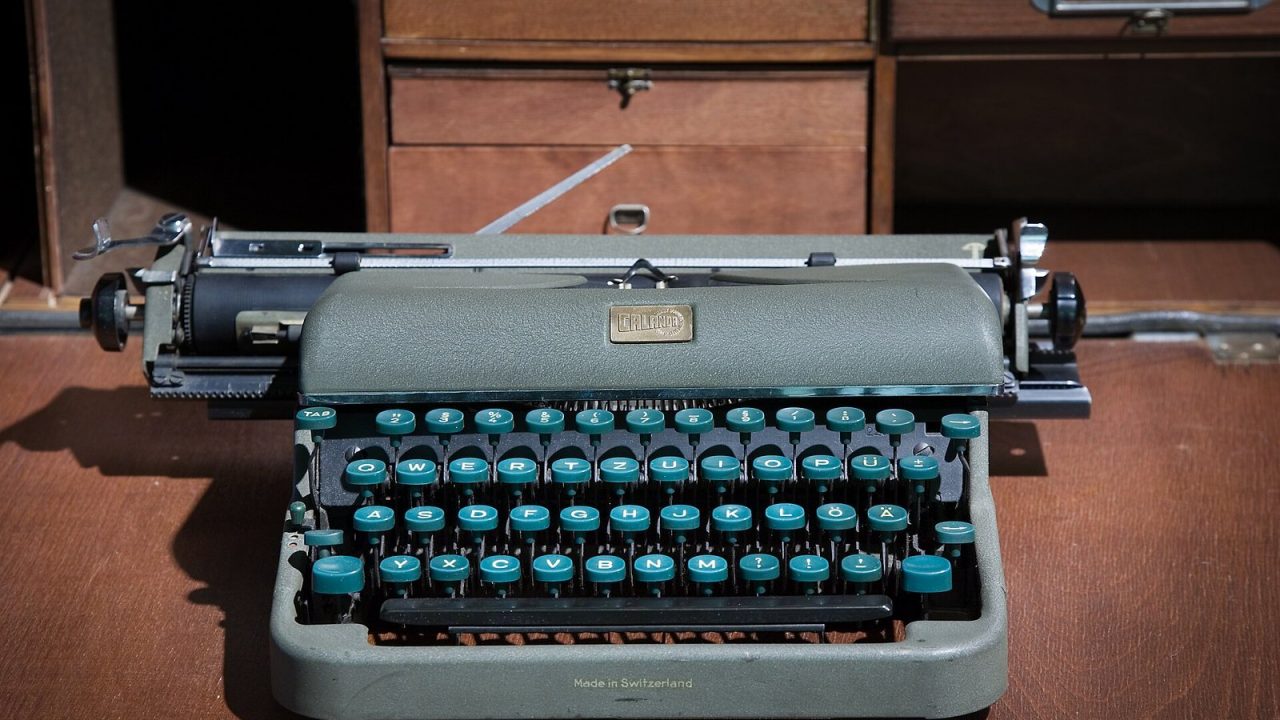
The most famous horror save system comes from the original Resident Evil (1996). To save, you had to find a typewriter and use an ink ribbon, a consumable item that took up inventory space and was found in limited numbers. No ribbon, no save.
The system was simple but brilliant. It meant:
- Every save was a decision. Saving after a minor victory wasted a ribbon you might need before a boss.
- Inventory pressure increased. Carrying ribbons meant less room for ammo, herbs or key items.
- Typewriters became landmarks. Players learned the map in terms of where they could save, and those rooms felt like islands of safety.
Ink ribbons became shorthand for old-school survival horror. Our horror game glossary lists them alongside other classic terms.
How modern Resident Evil games treat ink ribbons
Capcom’s modern games often keep limited saving as an option for players who want the classic experience, rather than forcing it on everyone:
- Resident Evil 2 (2019 remake): on Assisted and Standard difficulty you can save at any typewriter without using an item, and the game also creates autosaves at key moments. On Hardcore, manual saves require ink ribbons and there is no autosave.
- Resident Evil 7 (2017): manual saves happen at cassette recorders in safe rooms. On Easy and Normal, saving is unlimited, but on the Madhouse difficulty you need cassette tapes to save, and checkpoints are sparser.
This “choose your stakes” approach lets newcomers enjoy the atmosphere without punishing mistakes, while veterans can recreate the pressure of the 1990s.
Safe Rooms: Islands of Relief
Closely tied to saving is the safe room. In classic Resident Evil, the rooms with typewriters usually also held an item box, and no enemies could enter. The music changed to a calm, melancholy theme, signaling a brief moment of safety. Many players remember those safe-room themes as vividly as any monster.
Safe rooms do several jobs at once:
- Pacing: they give players a breather between stretches of tension, which makes the next stretch scarier by contrast.
- Planning: with the item box and save point together, safe rooms are where you reorganize, review the map and decide your next move.
- Emotional anchor: they give the player a sense of “home base” inside a hostile environment.
The design has lasted. In Resident Evil 7, rooms with cassette recorders are safe and usually include an item box. In Signalis (2022) by the two-person German studio rose-engine, safe rooms let the player save and store items they are not carrying, a clear nod to Resident Evil, and they matter even more because protagonist Elster can only carry six items at a time.
Save Points in Silent Hill
The Silent Hill series takes a different route. In Silent Hill 2 (2001), saving is done at fixed save points: red square sheets found on walls, tables and other objects around the town and its buildings. Examining one records your progress. There is no consumable item to manage.
Without ink ribbons, Silent Hill’s tension around saving comes mostly from placement. Save points are spaced out, so pushing deeper into a building means moving further from your last safe moment. The red squares are also less “safe” than Resident Evil’s safe rooms. They are not sealed sanctuaries with their own music; they sit inside the same unsettling spaces as everything else. That fits the series’ psychological approach, where nowhere ever feels fully safe.
Risky Saves: Alien: Isolation’s Save Stations
Creative Assembly’s Alien: Isolation (2014) has one of the most discussed save systems in modern horror. Saving is manual. You must find a save station terminal on the space station and insert Amanda Ripley’s access card. Crucially, saving is not instant: there is a short pause of about three seconds before the save completes, and during that pause you are vulnerable.
That small delay is a masterstroke of tension. Reaching a save station feels like relief, but you still have to stand still in the open, listening, while the save completes. And because nearly all of the Alien’s attacks are fatal, dying sends you back to that last save, sometimes a long way back.
The system has critics. Some reviewers found the distance between save points frustrating, and the game’s trial-and-error moments can mean replaying long sections. But it is a clear example of how saving can be a source of fear rather than just a safety net.
Checkpoints and Autosaves: The Modern Default
Most contemporary horror games rely partly or entirely on checkpoints, where the game saves automatically at set points. Many also combine them with manual saves, as Resident Evil 7 does with its autosaves plus cassette recorders.
Checkpoints have clear benefits:
- They reduce frustration and lost progress, which helps players who are new to horror.
- They let designers build long, cinematic sequences without interruption.
- They suit games built around chase sequences and scripted scares, where replaying a short section is expected.
The downside is that they can lower the stakes. If a checkpoint fires every few minutes, danger loses some of its bite. Designers respond in different ways: spacing checkpoints further apart, removing them on higher difficulty settings, or making the moments between checkpoints dense enough that losing them still stings.
Hybrid systems
Many games now combine approaches. The Resident Evil 2 remake, for example, offers sparse automatic checkpoints after major story beats plus unlimited typewriter saves on its standard modes, and some games track how often you save as part of an end-of-game ranking. The remake is one of those: frequent saving can slightly lower your final rating, which nudges completionists towards more careful play without restricting anyone else.
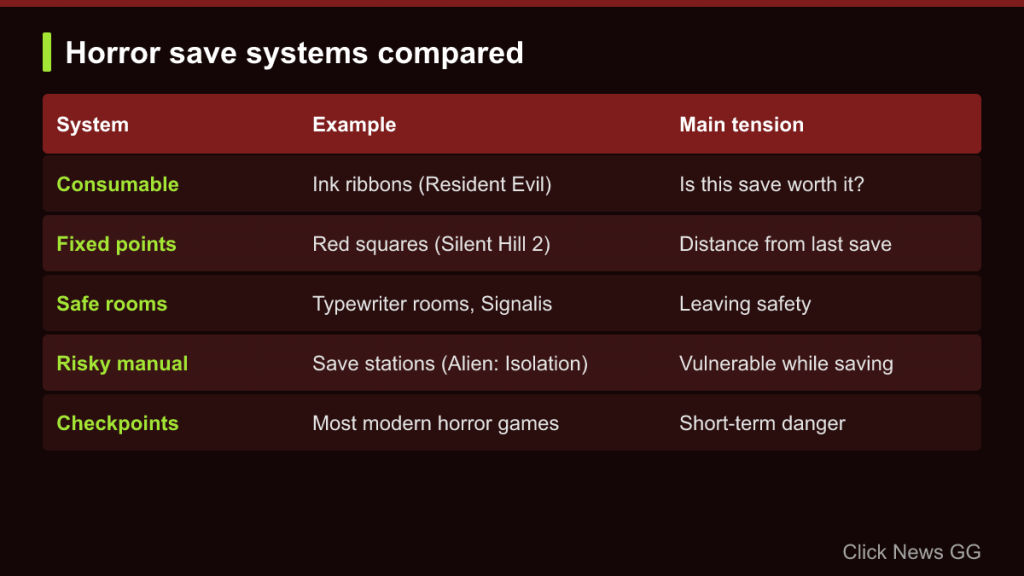
Comparing the Main Save Systems
| System | Example | Main source of tension | Best for |
|---|---|---|---|
| Consumable saves | Ink ribbons (Resident Evil, RE2 remake Hardcore) | Deciding when a save is worth spending | Players who want classic pressure |
| Fixed save points | Red squares (Silent Hill 2) | Distance from the last save | Exploration-heavy psychological horror |
| Safe rooms | Typewriter rooms (Resident Evil), Signalis | Leaving safety to explore | Games built around a home-base rhythm |
| Risky manual saves | Save stations (Alien: Isolation) | Vulnerability while saving | Stealth horror with a persistent threat |
| Checkpoints | Most modern horror games | Short-term danger, scripted scares | Cinematic and beginner-friendly horror |
Practical Tips for Managing Saves
- Save before you explore, not after. When you reach a save point and an unexplored area lies ahead, save first.
- Use multiple slots. Where the game allows, rotate between two or three slots so a bad save (low health, no ammo, a boss ahead) does not trap you.
- Rationing ink ribbons. In limited-save modes, a good rule is to save before bosses, before entering a new area, and after solving a long puzzle. Skip saving after minor progress.
- Learn where save points are. In classic games, mentally map the route between save rooms. Knowing the safest path back is half the battle.
- Do not panic-save. In games like Alien: Isolation, check your surroundings before using a save station, since you are vulnerable while it completes.
- Pick the right difficulty. If you find limited saves too stressful, choose a mode with unlimited saving. Our guide on playing horror games if you scare easily has more tips on adjusting the experience.
- Read the manual or options. Many games explain their save rules in the tutorial or difficulty description. Check whether autosaves exist before you rely on them.
Saving as Storytelling
At their best, horror save systems tell you something about the world. The typewriter in a quiet room says “you are safe here, for now.” A red square on a wall in Silent Hill is a strange mark in an already strange town. A save station that takes three seconds to complete says that even the act of recording your progress is dangerous in a place where the creature is always listening. The way a horror game lets you save is one of the clearest statements of how it wants you to feel, and paying attention to it makes you a better, and more frightened, player.